
Features
T-Ex LLM features for running coding agents like Claude Code, Codex, Gemini, and 40+ more in parallel.
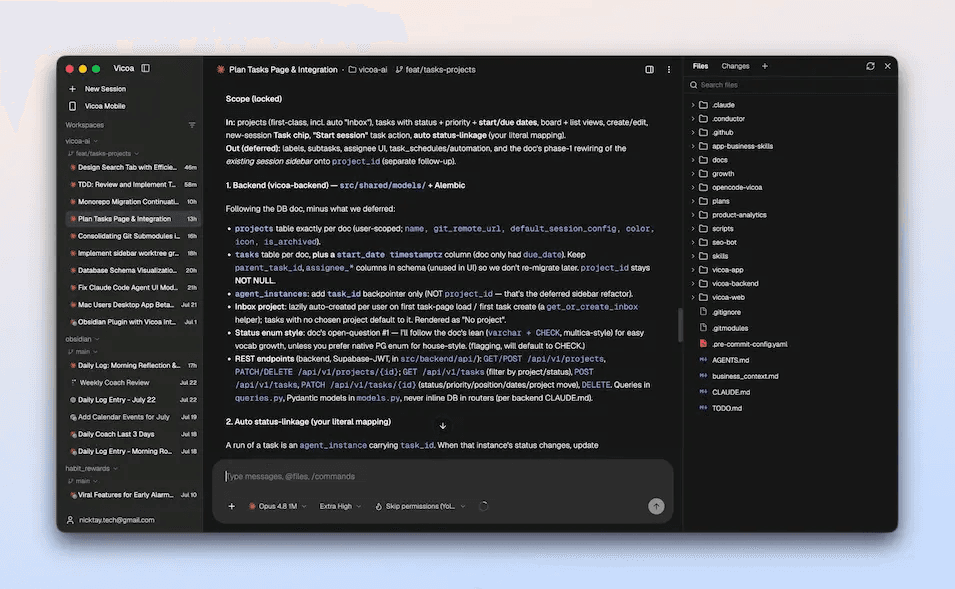
Run a Team of Coding Agents in Parallel
Run Claude Code, Codex, Gemini, and 40+ coding agents side by side, each on its own git worktree, and watch every agent on one board.
- Start several agents at once, each in its own git worktree so they never step on each other
- See every agent’s live status on a single board instead of juggling terminal tabs
- Set up and run the fleet from the desktop app: install, sign in, agents auto-detected
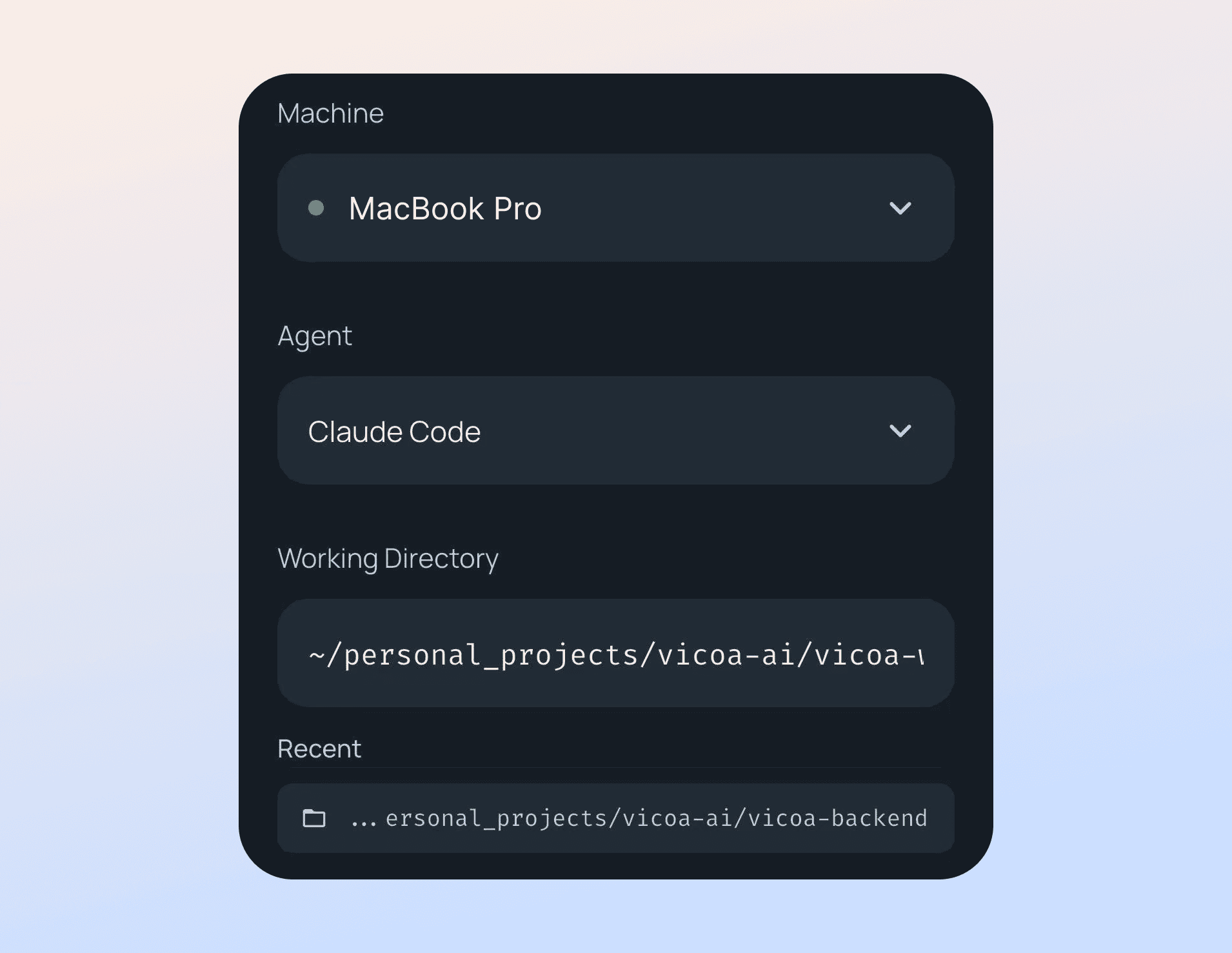
Start at Your Desk, Steer from Any Device
Launch sessions from web, mobile, or desktop, and jump in the moment an agent needs you.
- Start new Claude Code, Codex, or any other agent sessions from your phone, browser, or the desktop app
- Get a push notification the moment an agent needs input or finishes a task
- Approve changes and answer AskUserQuestion prompts with one tap, wherever you are
Every Coding Agent, One Workspace
40+ coding agents: Claude Code, Codex, OpenCode, Gemini, Cursor, Copilot, and more, plus 300+ models from 60+ providers via OpenRouter.
- Claude Code, Codex, Pi, Oh My Pi, and Antigravity run natively; OpenCode, Gemini, Cursor, Copilot, Kimi, and Hermes are built in via the Agent Client Protocol (ACP)
- 30+ more agents supported via ACP (Amp, Cline, Devin, goose, Kiro, Qwen Code, TRAE, and others), and any other ACP agent with your own command
- Use 300+ models from 60+ providers through OpenRouter, and bring your own key
- Everything runs on your real machine and codebase: no lock-in, no usage markup
Fuzzy Search for Files with @
Fuzzy search for files with @ in projects across web, mobile, desktop, and CLI.
- Type @ followed by a file path to mention files in your messages
- Reference multiple files in a single message
- Give Claude Code and Codex immediate context from a live file index
Slash Commands
Access powerful commands quickly by typing "/" in the chat interface.
- Built-in Claude Code and Codex slash commands
- Custom commands from ~/.claude/commands, including subfolders and project .claude
- Quick access to frequently used workflows
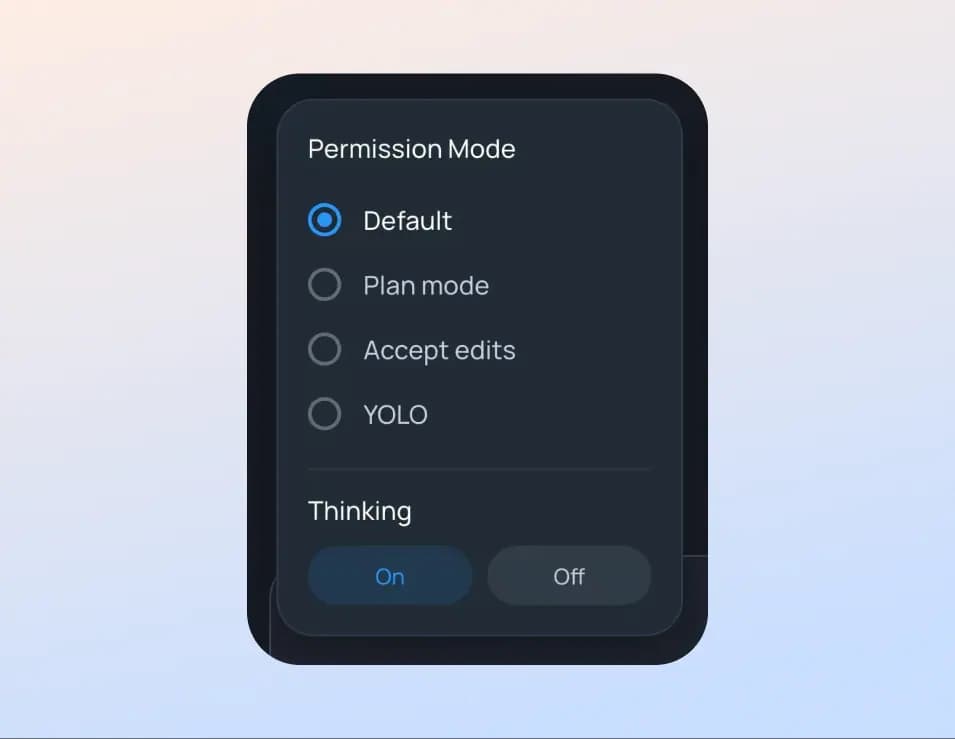
Permission Modes & Thinking Toggle
Switch between permission modes and thinking status.
- Permission modes: default, plan mode, accept edits, auto, and bypass permissions (YOLO)
- Toggle thinking on/off and change the model, effort, and permission mode mid-session
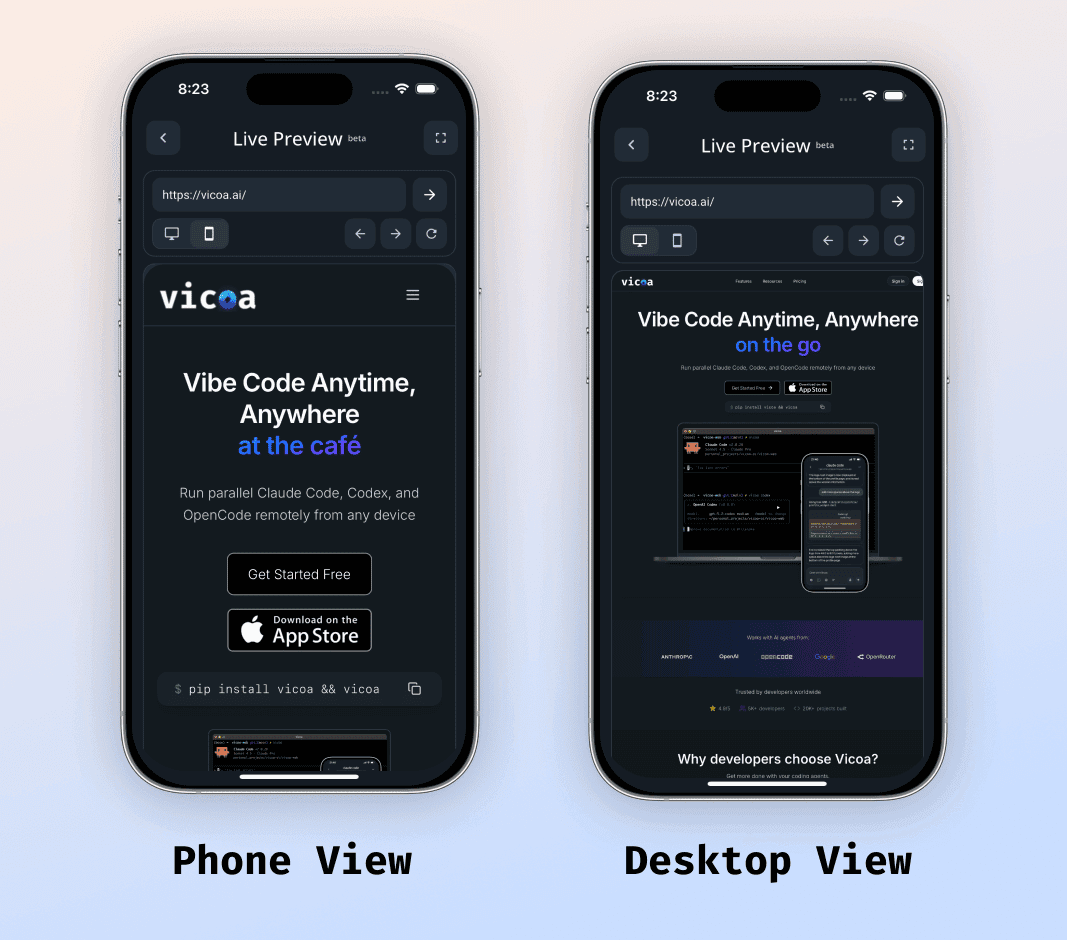
Live Preview on Your Phone
Map your local dev server to a URL you can open in the app and watch your site change as your agent works.
- Open your localhost in the T-Ex LLM app while an agent codes
- Preview in both phone and desktop viewports
- See changes land in real time without leaving your chair, or your couch
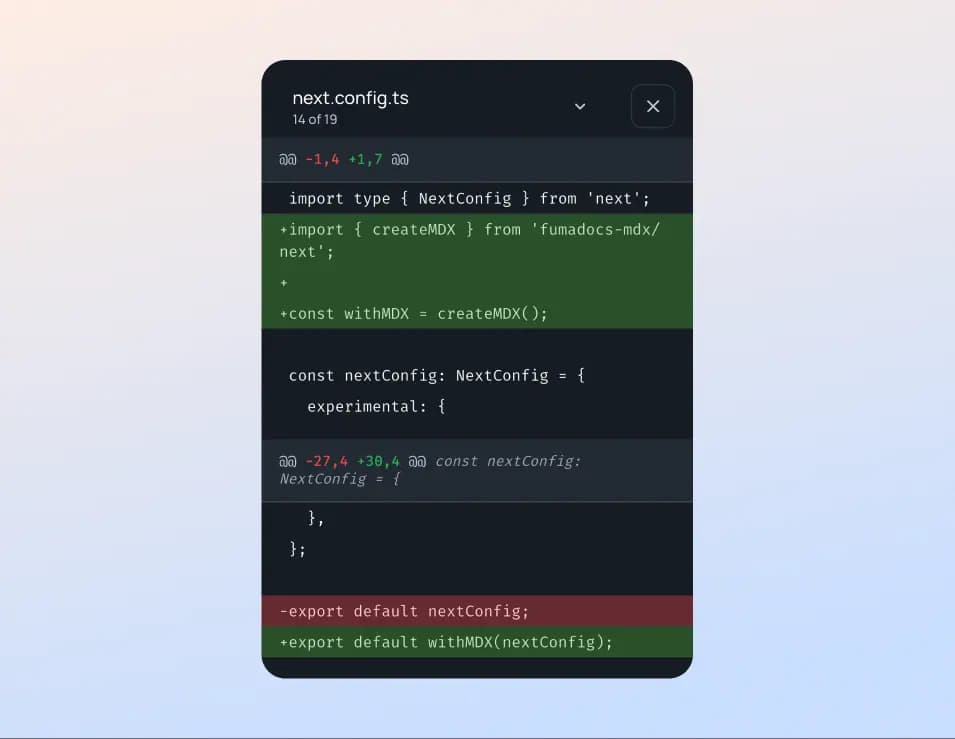
Review Changes: Diffs & Commit History
See what every agent changed in Git diff format, then step through commit history.
- Browse the Files and Changes panels with inline, per-file git diffs
- Step through commit history (commit graph, file list, and diffs) in the desktop app
- Review changes on mobile or web, then redirect without a separate editor
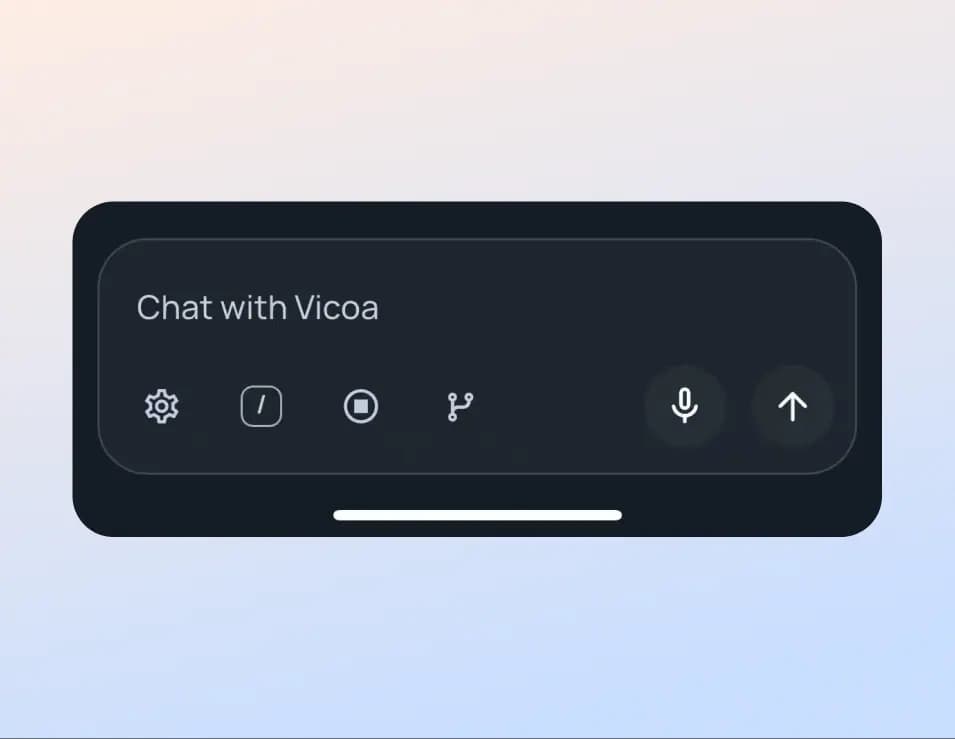
Talk to Code (Dictation)
Convert your voice to text for hands-free coding on mobile.
- Tap the microphone icon to speak your message
- Voice converts to text instantly, with improved accuracy
- Edit transcribed text before sending
Session Organization
Rename sessions, group by project or worktree, and find them fast with filtering.
- Rename and pin sessions for easy identification
- Group sessions by project or git worktree
- Filter by agent (Claude Code, Codex, and more), status, and date range
More Features
Tasks
Plan work on a board or list, then hand it to an agent.
- •Board and list views with labels and sub-tasks
- •Start a session from a task with your first prompt seeded
- •Linked task status follows the session it spawned
Automations
Schedule recurring agent runs so work happens without you.
- •Set a frequency and let agents run on a schedule
- •Run now on demand and jump straight to the spawned session
- •Review run history and toggle automations on or off
Workspace Search (⌘K)
Jump to any session, project, or command from one palette.
- •Open the command palette with ⌘K
- •Search across your whole workspace in an instant
- •A commands tier for quick actions
Reference Sessions & Tasks
Hand an agent another session, a task, or an automation with #.
- •Type # in the message box to pick a running session, a task, or an automation
- •The agent gets the details inline
- •Reference a task and the session will link to it
Edit Files in Place
Open and edit files in the Files panel, not just preview them.
- •In-place editing with syntax highlighting
- •A conflict check guards against overwriting agent changes
- •Review and tweak without a separate editor
Built-in Terminals
Run terminals on your machine, remotely, or in the browser.
- •Multi-terminal tabs with keep-alive sessions
- •Open terminals on remote machines over the relay
- •Web terminals restore across restarts
Usage at a Glance
See how much context and rate limit a session has left.
- •Context-window usage surfaced for Claude sessions
- •Rate-limit usage shown inline in chat
- •Know when an agent is near its limits
Image & File Attachments
Send screenshots and attach files to any agent.
- •Attach and render images in chat
- •Upload arbitrary files alongside images
- •Delivered to headless Claude, Codex, and ACP agents
Interrupt Anytime
Stop a running agent at any time with a single tap.
- •The send button becomes Stop while a turn runs
- •Change direction mid-execution
- •Provide additional context when needed
Draft & Queued Messages
Never lose a prompt, and line up your next ones.
- •Unfinished prompts save automatically as drafts
- •Queue messages while an agent is busy
- •Cancel a queued message before it sends
Unseen-Message Navigation
Never lose your place in long conversations.
- •One tap to jump to unseen messages
- •One tap to scroll to the latest messages
- •Group sub-agent activity under a collapsible header
Share & Export Messages
Copy individual or multiple messages to share with others.
- •Long-press a message to select it
- •Select and copy multiple messages
- •Export a conversation to share
Share with a Link
A live link to a session, or to a project’s tasks and sessions. Anyone can follow along, no account needed.
- •Anyone with the link, or T-Ex LLM users only
- •Expiry and one-click revoke
- •Your name and branches shown only if you choose
Cross-Device Workflow
Real-time sync across all your devices over WebSocket.
- •Start on laptop or desktop, continue on mobile
- •Instant message delivery and session events
- •Alerts when an agent needs your input
Ready to Run a Team of Coding Agents?
Get started with T-Ex LLM and run coding agents in parallel.